
Programmable Logic Controllers (PLCs) are the backbone of modern automation. From factory machines to traffic lights, elevators, water treatment plants, and conveyor systems, PLCs control almost every automated process around us.This beginner-friendly guide explains PLCs, their architecture, scan cycle, I/O modules, and simple ladder logic examples to help you understand how automation systems work. PLC is Essential in Automation Engineering
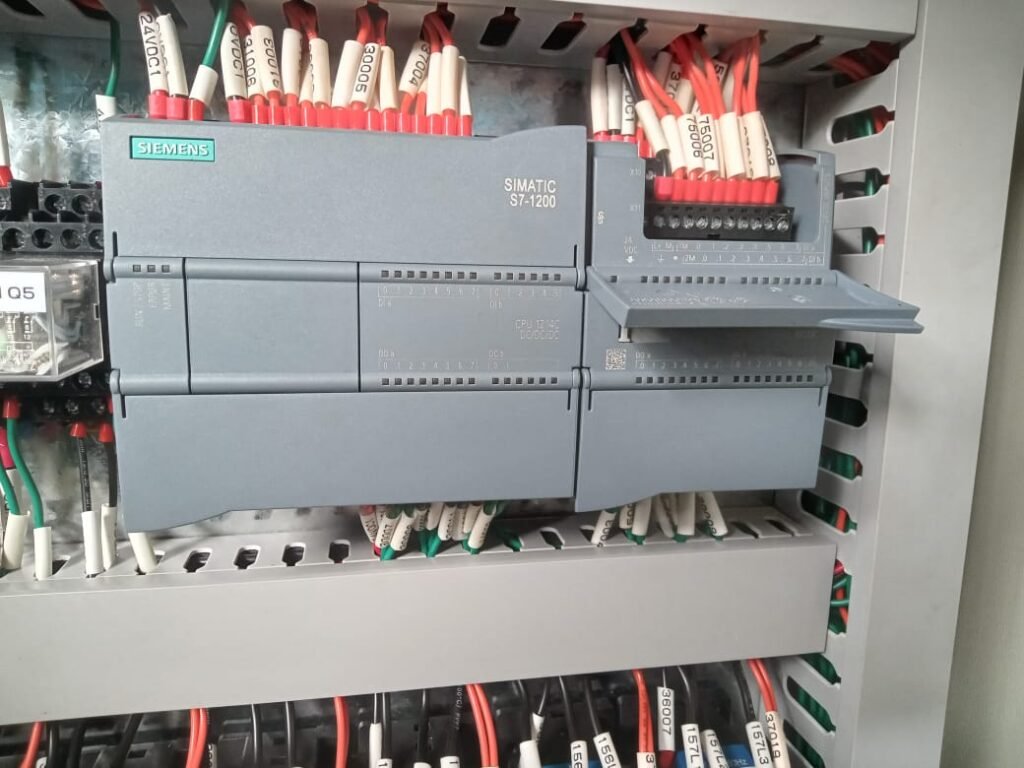
Table of Contents
🔹 1. What Is a PLC?
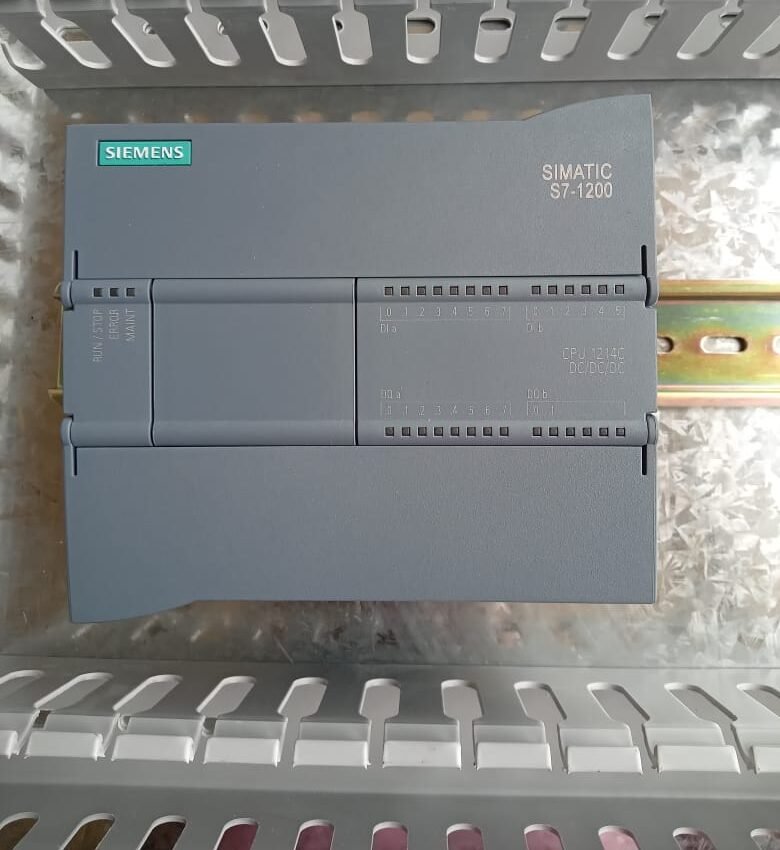
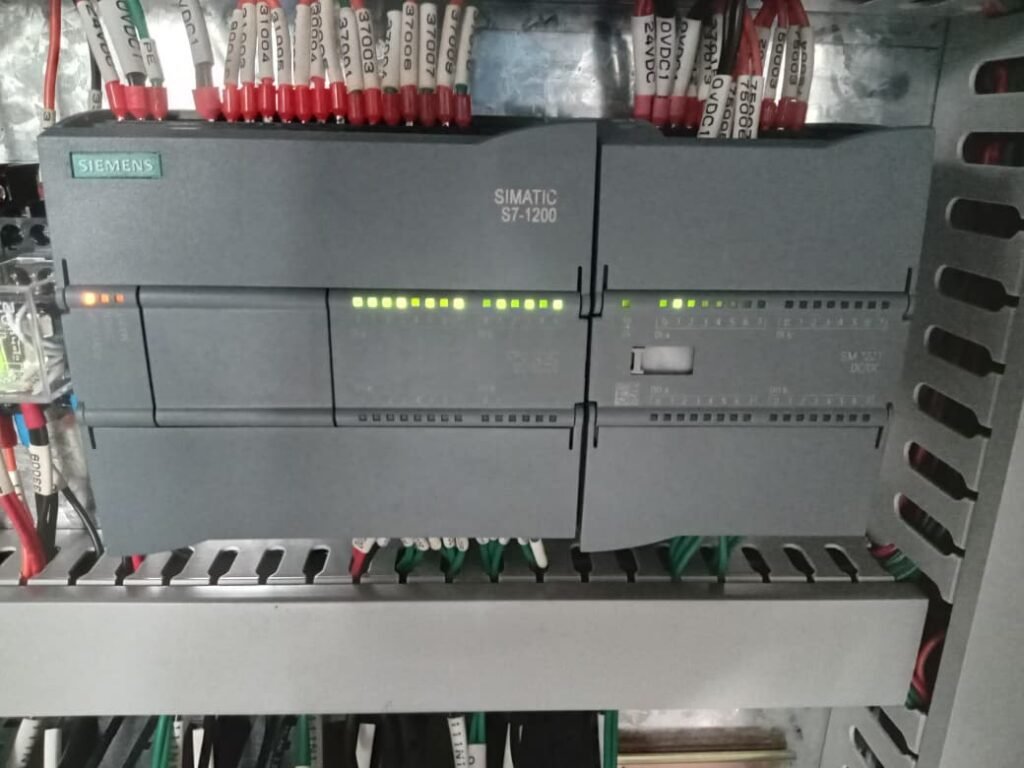
A PLC (Programmable Logic Controller) is a rugged industrial computer designed to:
- Read input signals
- Make decisions using logic
- Control output devices
PLCs replace old relay-based control panels and offer:
- High reliability
- Easy programming
- Modular expansion
- Fast processing
Common brands: Siemens, Allen-Bradley, Omron, Mitsubishi, Schneider
🔹 2. PLC Architecture (Main Components)
A PLC consists of the following major parts:
CPU (Central Processing Unit)
The brain of the PLC.
Performs:
- Logic execution
- Communication
- Diagnostics
- Memory management
Memory
Stores:
- User program (ladder logic)
- Data values
- System files
Power Supply
Converts AC power to low voltage DC used inside the PLC.
I/O Modules
These connect PLCs to the real world.
Types of I/O:
🔸 Digital (Discrete) Inputs
For ON/OFF devices
Examples:
- Push buttons
- Limit switches
- Sensors (proximity, IR)
🔸 Digital Outputs
Control ON/OFF loads
Examples:
- Lamps
- Relays
- Contactors
- Solenoid valves
🔸 Analog Inputs
Variable signals (0–10V, 4–20mA)
Example:
- Temperature sensor
- Pressure sensor
- Flow meter
🔸 Analog Outputs
Variable control outputs
Example:
- VFD speed control
- Valve position control
Communication Ports
Used to program or communicate with HMI/SCADA.
Common protocols:
- Modbus
- Profibus
- Ethernet/IP
- Profinet
🔹 3. How a PLC Works: The Scan Cycle
PLCs execute programs in a continuous loop called the scan cycle.
Steps in the Scan Cycle:
Input Scan
Reads the status of all sensors and switches.
Program Execution
Executes ladder logic based on input status.
Output Scan
Updates output devices such as motors and indicators.
Diagnostics / Communication
Checks for errors, communicates with devices.
⚡ Typical PLC Scan Time
1–20 ms depending on program size.
Shorter scan time = faster response.
🔹 4. Introduction to Ladder Logic
Ladder Logic is the most popular PLC programming language.
It looks like an electrical relay circuit diagram.
Ladder Logic Uses:
- Motor control
- Timers
- Counters
- Interlocks
- Safety logic
🔹 5. Basic Ladder Logic Symbols
| Symbol | Meaning |
|---|---|
| — | |
| —]/[— | Normally Closed (NC) Contact |
| ( ) | Output Coil |
| TON | Timer ON Delay |
| TOF | Timer OFF Delay |
| CTU | Counter Up |
🔹 6. Ladder Logic Examples
Example 1: Start/Stop Motor Control
Goal:
Press START → Motor ON
Press STOP → Motor OFF
Motor holds itself via latch
Logic:
- I0.0 = Start Button
- I0.1 = Stop Button
- Q0.0 = Motor
Ladder Diagram:
| I0.0     Q0.0     I0.1 |
|----| |------( )-----|/|----|
        |---------------|
Explanation:
- Motor turns ON when start button is pressed
- Latching contact keeps the motor running
- Motor turns OFF when stop button (NC) breaks the circuit
Example 2: Timer ON Delay
Goal: Turn on a lamp 5 seconds after pressing a switch.
Logic:
- I0.0 = Switch
- Q0.1 = Lamp
- T1 = ON Delay Timer (5 sec)
Ladder Diagram:
| I0.0       TON T1 5s |
|----| |---------( )------|

| T1       Q0.1 |
|----| |-----( )----|
Explanation:
- When switch turns ON, timer counts 5 seconds
- After 5 seconds, lamp turns ON
Example 3: Counter Example
Count 10 products on a conveyor.
Logic:
- I1.0 = Sensor Pulse
- C1 = Counter
- Q0.2 = Alarm
Ladder Logic:
| I1.0     CTU C1 10 |
|----| |---------( )------|

| C1.DN   Q0.2 |
|----| |-----( )----|
🔹 7. Where Are PLCs Used?
PLCs control almost every industrial and automation process:
- Manufacturing lines
- Packaging machines
- Water treatment
- Power plants
- Elevators & escalators
- Robotics
- Traffic control
- HVAC systems
- Oil & gas plants
🔹 8. Advantages of PLCs
- High reliability
- Easy to maintain
- Modular expansion
- Fast response
- Able to handle complex automation
- Works in harsh environments
🔹 9. Conclusion
PLCs are essential for modern automation—and learning them opens doors to careers in industrial automation, PLC programming, robotics, SCADA, and process control.
This beginner’s guide covered:
- PLC architecture
- Scan cycle
- I/O types
- Ladder logic basics
- Practical examples